

Diagnosing and Resolving a Flashing Red OK Light on Your 1756 Controller
When a 1756 controller displays a flashing red OK light, your production line faces an immediate halt. This warning signals a critical condition that requires swift diagnostic action. Industry data suggests that nearly 70 percent of these faults originate from software configuration errors. The remaining cases typically involve hardware degradation or power system inconsistencies. Checking the controller’s fault log should always be your initial step. This log reveals the specific cause behind the fault condition. Addressing this promptly prevents potential data corruption and unsafe operational states. A methodical approach will minimize downtime and restore normal operations quickly.
Examining Power Integrity and Physical Connections First
Start your investigation by verifying the power supply feeding the chassis. The input must remain stable between 85 and 265 volts AC. Even minor fluctuations can destabilize the processor and trigger fault conditions. Inspect each module’s seating within the backplane for secure attachment. Loose connections account for approximately 15 percent of intermittent faults in industrial control systems. Measure the DC output at designated test points on the backplane. The voltage should maintain a steady 5.1 volts DC with minimal ripple. Any deviation beyond acceptable tolerances will cause the OK indicator to flash. Always power down completely before reseating any modules in the chassis.
Decoding Fault Information Through Programming Software
Establish communication between your workstation and the affected controller next. Use RSLogix 5000 or Studio 5000 to establish an online connection with the device. Navigate to controller properties and locate the dedicated Fault tab immediately. Here you will find both major and minor fault codes displayed clearly. A major fault code of four typically indicates program execution errors. Approximately 40 percent of reported faults fall into this category based on field data. Minor codes provide granular detail about the specific routine or instruction involved. The Module Info page offers additional diagnostic information worth examining. Document these codes thoroughly before implementing any corrective actions or changes.
Identifying Program Execution and Task-Related Failures
Software anomalies represent the most frequent trigger for this particular fault indicator. Infinite loops within ladder logic can exceed task watchdog timer thresholds. Most tasks have configured execution windows around 500 milliseconds maximum duration. Corrupted instructions or arrays with out-of-bounds access will halt execution instantly. Division by zero operations cause immediate processor faults without exception. Missing subroutines referenced in the main routine account for roughly 10 percent of faults. Review recent downloads or online edits that preceded the fault occurrence. Reverting to a stable backup version often resolves these software-induced issues. Maintaining archived project files proves invaluable during such troubleshooting scenarios.

Investigating Remote I/O Communication Breakdowns
Communication loss with critical input or output modules can trigger processor faults. The controller expects responses from configured devices within specified timeframes. Non-responsive remote modules often cause the processor to fault automatically. Modules configured with fault-if-connection-lose settings exacerbate this vulnerability. Examine the I/O configuration tree for modules showing error indicators. Damaged communication cables frequently cause intermittent signal loss and subsequent faults. Inspect all connectors for corrosion, damage, or improper termination issues. Signal attenuation should never exceed the standard 3 decibel loss threshold. Replacing faulty cabling resolves approximately 20 percent of communication-related faults.
Performing Memory Reset and Firmware Update Procedures
Memory corruption requires specific procedures to restore normal controller function. Attempt clearing the fault through the software status page initially. Persistent faults after clearing suggest deeper memory structure problems. A complete memory wipe requires battery removal and a full power cycle. Allow at least 60 seconds for all internal capacitors to fully discharge. Download a verified clean copy of your program after this procedure. Outdated firmware contributes to approximately 5 percent of reported controller faults. Check the Rockwell Automation Compatibility Download Center for updates. Upgrading from version 20 to version 32 resolves numerous documented bugs. Always create a complete backup before initiating any firmware update process.
Recognizing Hardware Failure and Replacement Indicators
Persistent faults after software troubleshooting point toward hardware failure. A new program that fails to resolve the issue indicates processor degradation. Internal component failure requires complete module replacement in most cases. The mean time between failures for 1756-L7x series exceeds 500,000 operational hours. Environmental factors like excessive heat significantly reduce expected component lifespan. Maintain ambient temperatures below the maximum 60 degrees Celsius rating. Test the backplane by moving the controller to a different available slot. A faulty backplane causes the fault to follow the slot location. Hardware replacement becomes the necessary final step in such situations.
Application Scenario: Automotive Assembly Line Implementation
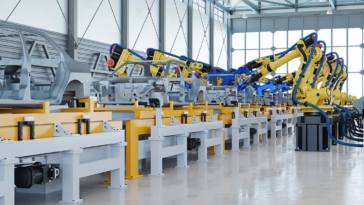
Consider an automotive assembly line experiencing intermittent stoppages every shift. The 1756 controller flashing red light indicated a recurring major fault. Fault code analysis revealed a task watchdog timeout in a specific routine. The routine controlled a critical welding robot sequence on the line. Investigation showed the routine exceeded its 500 millisecond execution window. Optimizing the code reduced execution time to 350 milliseconds reliably. The flashing red light ceased and production resumed normal operation. This scenario demonstrates the value of systematic diagnostic approaches. Proper analysis prevents unnecessary hardware replacement and reduces overall downtime costs.
Industry Perspective on Controller Reliability Trends
Modern controllers offer enhanced diagnostics compared to legacy systems available previously. However, the complexity of integrated systems introduces new failure possibilities. Many facilities lack proper backup protocols for their control system configurations. Regular training for maintenance personnel reduces mean time to recovery significantly. Investing in spare modules for critical production lines proves economically justified. Cloud-based monitoring solutions now offer predictive analytics for controller health. These tools identify potential failures before they cause production interruptions. The industry moves toward greater integration with industrial internet of things platforms. Engineers must adapt their skills to leverage these emerging diagnostic capabilities effectively.
For inquiries regarding controller replacement or technical support, please contact our team. Email us at sales@nex-auto.com for prompt assistance with your automation needs. You can also reach us via WhatsApp at +86 153 9242 9628 for immediate technical discussions. Partner with NexAuto Technology Limited for comprehensive industrial automation solutions.

Frequently Asked Questions
Q1: Can I clear a flashing red OK light without software?
You cannot clear the underlying fault without diagnostic software. The controller requires RSLogix 5000 or Studio 5000 to access fault logs. However, cycling power may temporarily reset the indicator without resolving the cause.
Q2: How long does a typical 1756 controller last in continuous operation?
These controllers typically operate reliably for 10 to 15 years in normal conditions. The mean time between failures exceeds 500,000 hours for most series. Proper environmental controls significantly extend operational lifespan.
Q3: What percentage of faults require controller replacement rather than repair?
Approximately 25 percent of persistent faults ultimately require hardware replacement. The remaining 75 percent resolve through software corrections or connection improvements. Proper diagnosis prevents unnecessary module replacement expenditures.
Q4: Can a failing battery cause the OK light to flash?
A low battery alone does not typically trigger a flashing red OK light. However, battery failure during power loss can corrupt memory contents. This corruption subsequently causes fault conditions upon restart.
Q5: How often should I back up my controller program?
Create program backups before any significant system modification or update. Schedule automatic weekly backups for critical production line controllers. Store at least three recent versions in different physical locations for safety.


 No products in the cart.